00:00:00:00 How it works
How AfterRushes turns rushes into a film.
“Rushes” is the film industry’s word for raw, unedited footage. Here’s everything that happens between the camera card and the finished film, and where each step runs.
In short
How does AI wedding video editing work? In AfterRushes, the video work happens on your computer: it reads the cards, checks every half second for sharpness, shake and faces, transcribes the speech and finds the beat. Claude, Anthropic’s AI, then reads still frames, your photos and the transcript and writes the story, and AfterRushes cuts it on the beat for you to review.
Updated
| What it is | An AI wedding film editor for photographers who don’t edit video. It runs on your own computer. |
|---|---|
| What it makes | A highlight film of 3 to 15 minutes (1920×1080), a 30 or 60 second vertical teaser (1080×1920), an optional speeches edit and a captions file (.srt) |
| Runs on | Windows 10 and 11 (64-bit) and Macs with Apple silicon or an Intel processor. 16 GB of RAM recommended. |
| Price | Free to download. The AI is paid with credits: $15 (about ₹1,420) for 1,000 credits, up to 50,000 for $350 (about ₹33,230). A typical wedding uses 300–1,000 credits. A multi-day wedding with more clips uses more. Bought credits never expire. Lifetime licence: $149 (about ₹14,100) once, with your own Claude key, limited to 100 copies. Charged in US dollars. |
| Try it free | Your first film: up to 100 clips, changes included. No card needed. It comes as 500 free credits, once per computer and per email address. |
| The AI | Claude, Anthropic’s AI, paid with credits: AfterRushes shows what a job will use before it starts. With the lifetime licence, your own Claude key, paid straight to Anthropic. |
| Your footage | Stays on your computer. Only still frames, your photos and the transcript go to the AI. |
| Speed | About 11 minutes of local analysis on our 26-clip test wedding (a 2017 Intel i7), plus a few minutes of AI. |
| Version | 0.1.39. It updates itself. |
| Made by | AxixOS Operations Ltd, Malta |
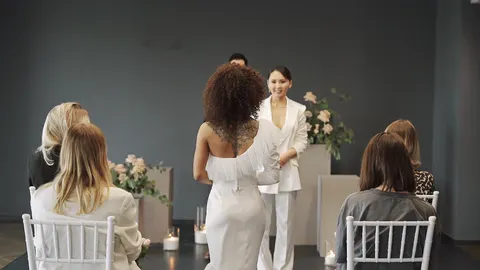
Step 01On your computer
Add your cards
Point AfterRushes at the day’s camera cards and phone folders.
- Reads cards and folders from several cameras and phones at once.
- Rejoins recordings the camera split into parts, so a long ceremony is one clip again.
- Skips junk files the camera leaves behind.
- Works with iPhone HDR video, converting it to normal colour automatically.
- Uses the photos in those folders too (JPEG, PNG, HEIC). Not RAW files: export JPEGs from your photo editor.
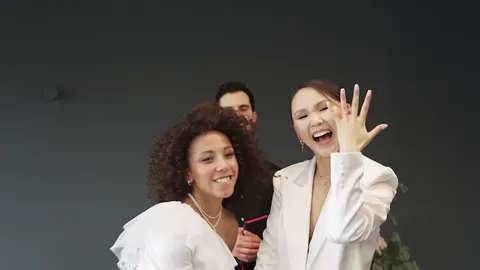
Step 02On your computer
It watches every second
Before any AI is involved, AfterRushes looks at every half second of footage on your computer.
- Checks every half second for sharpness and camera shake.
- Finds faces, so the teaser can keep them in frame.
- Sets aside unusable clips (black, blown out, or shaking throughout), so no AI is spent on them.
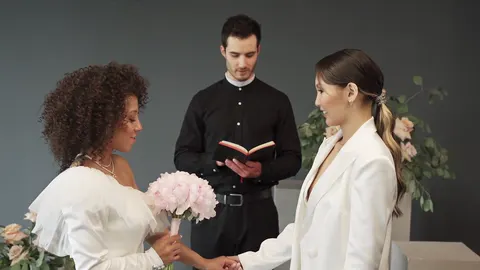
Step 03On your computer
It listens
The words and the music are what hold a wedding film together.
- Transcribes speech on your own computer: the vows, the readings, the speeches.
- Finds the music and its beats, including a band or DJ recorded on the day.
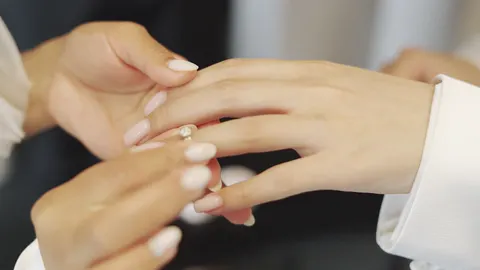
Step 04Claude, Anthropic’s AI
The AI writes the film
Claude, Anthropic’s AI, reads still frames from each clip, your photos and the transcript. It never receives the video.
- Logs every clip’s best moments.
- Writes the story of the day as a highlight film of 3 to 15 minutes, a 30 or 60 second vertical teaser, and an optional speeches edit.
- Can put your best photos into the film, as a shot with a slow zoom, or over someone talking.
- In a cinematic, documentary or upbeat style.
- Uses Claude Opus 5.5 by default, or Claude Sonnet 5.5 for about half the cost.
Step 05On your computer
It cuts precisely
The plan becomes an edit, cut to the music.
- Cuts land on the beat.
- Shots skip blurred and shaky seconds.
- The best lines of the vows and toasts play over the film, with the music dipping under them.
- The band or DJ from the day becomes the soundtrack when the recording is clean enough, or you choose your own licensed track.
- Footage shot at 50 or 60 frames per second plays as slow motion.
- The vertical teaser frames each shot around faces.
Step 06On your computer
You make it yours
The AI makes the first cut. You have the final say on every shot.
- A timeline where you can delete, move and trim shots, and add titles.
- One-click suggestions.
- Chat revisions in plain English: “make the opening slower”, “use the second song”.
- Undo is always there, and only the shots that changed re-render.
Step 07On your computer
Export
Everything the couple needs, from one wedding.
- A 1920×1080 highlight film.
- A 1080×1920 vertical teaser for Instagram Reels and YouTube Shorts.
- A captions file (.srt).
- Sound levelled to streaming standards.
SpeedOn our test wedding
How long it takes.
Measured on our test wedding: a reception of 26 clips and 15 minutes of footage. Time grows with the amount of footage, and it all runs in the background.
- Local analysis on a 2017 Intel i7
- ~11min
- AI cost for the whole wedding
- $0.55–0.66
Including a one-time download. The AI steps added a few minutes more.
Paid to Anthropic with the photographer’s own key.
00:00:52:00A film it made
What comes out the other end.
QuestionsHow it works
Asked about the process.
Go deeper
What does the AI see?
Still frames from each clip, your photos and the transcript of what was said. With credits, they pass through our server to Anthropic without being stored. With your own Claude key, they go straight from your computer to Anthropic.
Does my footage get uploaded anywhere?
No. All the video work happens on your computer, and your video files, edits and finished films stay there. Only still frames from each clip, your photos and the transcript of what was said go to the AI to plan the film. Where your footage goes shows the whole picture.
How long does it take?
On our test wedding (26 clips, 15 minutes of footage), the local analysis took about 11 minutes on a 2017 Intel i7, including a one-time download, and the AI steps added a few minutes more. Time grows with the amount of footage, and it all runs in the background.
Does the AI edit the whole film for me?
It makes the first cut. You make it yours: move, trim or delete shots, accept one-click suggestions, or type requests like “make the opening slower” or “use the second song”. Undo is always there, and only the shots that changed re-render. See making an AI first cut your own.
How much does the AI cost per wedding?
A typical wedding uses 300–1,000 credits: $4.50–$15 (₹430–1,420) at the 1,000-credit price, and less with the bigger packs. A wedding of 120 clips uses about 450 credits; one of 400 clips about 1,050. AfterRushes shows its estimate before every job.
ComingNot in the app yet
What’s coming next.
These aren’t available yet. We’ll add dates when we’re sure of them.
- Coming
Brand profile
Enter your website when you sign up and AfterRushes learns your style, colours, logo and tone of voice, so every film starts on-brand.
- Coming
GPU speed-up pack
Much faster analysis on NVIDIA graphics cards, as an optional download.
- Coming
Log, multi-camera and audio recorders
Camera log profiles (S-Log3, C-Log, D-Log M), multi-camera sync and separate audio recorders.
- Coming
Export to Premiere Pro and DaVinci Resolve
Every film as an editable sequence, linked to your original footage, so an editor can finish it by hand.
Try it on your next wedding.
Your first film free: up to 100 clips, changes included. No card needed. After that, the AI is paid with credits: $15 (about ₹1,420) for 1,000 credits, and a typical wedding uses 300–1,000 credits.